
WordPress Review
The numbers still prove the vast popularity of WordPress.org. More than 800 million websites run on WP, and it powers roughly 43% of the web.
WordPress evolved from a blogging tool into the most widely used CMS in the world. For years, it was the default “build anything” option: open-source code, endless customization, and a massive ecosystem of themes and plugins. But that same freedom is also why many site owners eventually feel worn down by WordPress – especially when the website is a business asset that must stay stable, fast and secure without ongoing tech support nuances.

Over the last decade, no-code platforms have changed expectations. With modern builders, a total beginner can launch a clean website without touching hosting panels, PHP versions, or plugin conflicts. If you’re exploring a simpler route, the comparison with Wix is the obvious starting point. At the same time, WordPress still wins in specific scenarios. Below is an honest view of what WP does well today – and why so many owners still choose to leave it.
WordPress Pros and Cons
WordPress is powerful, but it’s not “plug-and-play.” It’s a system you assemble and maintain.
Pros
WordPress is still attractive because it offers:
- Full control of your website
- Deep creative freedom
- A huge themes ecosystem
- A massive plugin marketplace
- Integrations with most modern marketing and business tools
- Free access to code (open-source)
Cons
Where WordPress becomes frustrating for many business owners:
- Coding skills (or dev help) are often required sooner than expected
- Hosting, security, caching, backups, SEO – everything is on you
- Constant plugin/theme updates
- Plugin conflicts are real (and sometimes invisible until something breaks)
- Maintenance becomes a routine responsibility
- Costs are hard to predict at the build stage and grow over time
If you want full control and you’re willing to handle the workload, WordPress is excellent. Need a “website as a tool,” not “website as a project”? Then you’ll likely end up comparing it to Wix or evaluating other WordPress exits depending on your needs.
Features and Design
WordPress’s core strength is that it can become anything – but only after you assemble the stack. The platform relies heavily on themes and plugins. That’s how WordPress stays flexible, and that’s also how it becomes complex.
WordPress Plugins
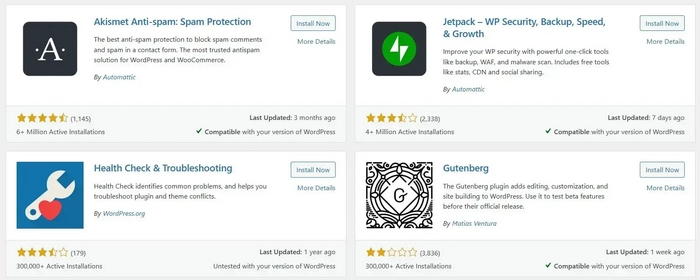
In WordPress, there’s essentially no feature you can’t add. Need security? Analytics? SEO? You’ll find well-known options like Wordfence, MonsterInsights, Yoast, Rank Math, AIOSEO, and thousands more.
Forms, live chat, quizzes, forums, donations, newsletters, booking tools, memberships, CRM integrations, automation – WordPress can do it all. In fact, most major SaaS platforms actively support WordPress with official plugins, which makes WP incredibly adaptable.
The downside is the operational reality: each plugin is another dependency. Updates can conflict, performance can degrade and troubleshooting becomes part of the routine. Many site owners realize they’re not “managing content” anymore – they’re managing a collection of extensions that must stay compatible.
That’s why, major Wix features – fewer moving parts, more built-in tools and a workflow that doesn’t depend on constant plugin decisions – frequently become a kind of relief for ex-WordPress users.
WordPress Themes
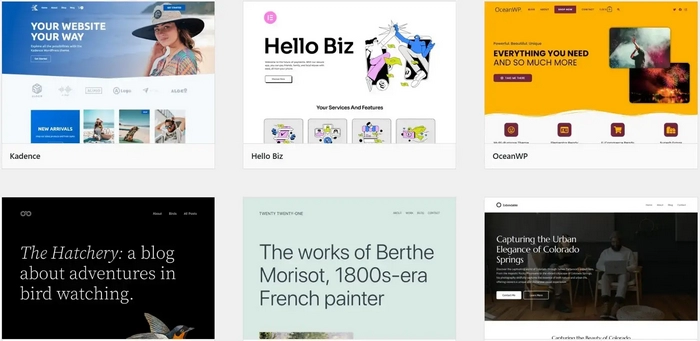
WordPress offers an enormous range of themes, from free starters to premium, niche-specific designs. Because the platform is open-source, customization can be almost unlimited – especially if you have front-end skills.
But for many business owners, the theme advantage is also a trap: you can get a beautiful theme, then spend weeks adapting it, buying add-ons, and fixing edge cases. And once you start using a page builder ecosystem, you often inherit performance overhead and update dependencies.
With Wix, the “theme” experience tends to be faster and more visual, which is why many migrations aren’t about “better design” but about “easier design management”
eCommerce
WordPress still ranks high for eCommerce – mostly because WooCommerce can be expanded endlessly. If you want a highly customized storefront with unusual rules, complex catalog logic, or deep integrations, WordPress is often the most flexible path.
Can you build an effective online store on WordPress in 2024? Yes. WooCommerce supports physical and digital products, inventory, carts, secure payments, taxes, shipping, emails and more – plus a giant ecosystem of extensions.
The tradeoff is the same: the store becomes a stack. Themes, payment add-ons, shipping plugins, marketing automation, cache configuration, database optimization. It works – but it requires attention. Many small businesses eventually decide they’d rather operate their store than maintain it, and that’s when Wix becomes a practical alternative with more “out-of-the-box” commerce tooling.
SEO
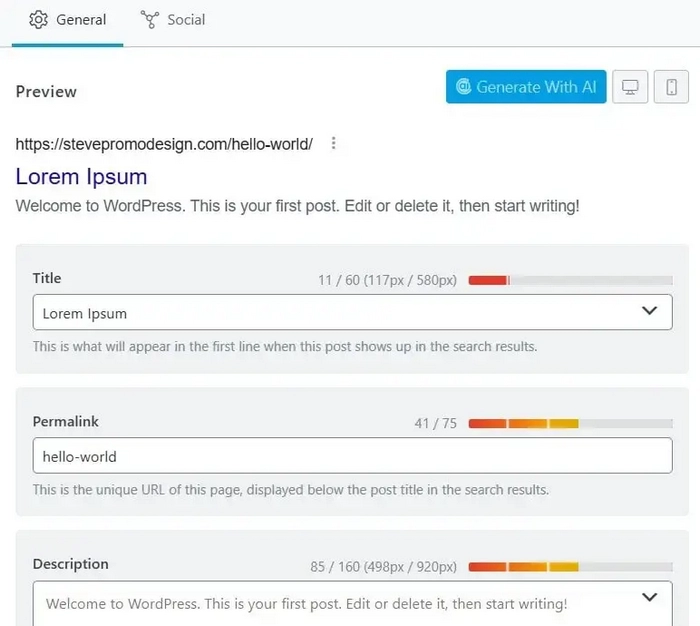
WordPress is often called “the best for SEO,” but that statement needs context.
WordPress gives you access to the best SEO tools – yet it also gives you full responsibility. You must choose plugins, configure them properly, manage technical SEO basics and keep everything running smoothly.
Yes, the SEO plugin ecosystem is unmatched: Yoast, Rank Math, SEOPress, SEO Framework, XML sitemap tools, structured data plugins, internal linking helpers and more. But the same ecosystem can also create bloat, conflicts and performance hits.
This is why SEO outcomes on WordPress vary wildly: the platform itself doesn’t guarantee results – your implementation does.
On Wix, the SEO toolset is more “guided.” It’s not as limitless, but it’s easier to keep stable for non-technical teams – especially after a migration, where structure, redirects and indexing become the real risk zone. If you’re moving from WordPress to Wix, the SEO work doesn’t end after launch: post-migration SEO checks will help protect rankings.
How Much Does WordPress Cost?
WordPress is free to download, but it’s not free to run – at least not for serious projects.
Typical cost components look like this:
- Hosting: $5–$100/month
- Domain: $1–$25/year
- Theme: $0–$250 (often paid for business-grade designs)
- Plugins: $0–$1,000+ (subscriptions + extensions add up)
- Expert help: $0–$1,000+ (setup, fixes, optimization)
Yes, you can launch a WordPress site for close to $0 if you’re experimenting. But if you’re building a business website, the real cost is predictable: performance, security, backups, and maintenance will require either time or paid help.
If you’re still at the “launch stage” and cost is the main concern, it’s useful to step back and see what “free” actually means in practical terms – especially if your goal is to build a website quickly and validate an idea.
Tech Support
Here is a major difference between WordPress and hosted website builders: WordPress doesn’t provide traditional support.
There’s no official team monitoring your site, no centralized live chat, and no vendor accountable for your stack. You have the community, documentation, and freelancers – and that can be powerful, but it also means resolution time depends on you.
In contrast, hosted builders like Wix provide structured support and a unified system. That’s part of why business owners migrate: not because WordPress is “bad,” but because they want predictability and someone to contact when something breaks.
WordPress to Wix Migration Reality: It’s Not One Click
If you’re reading this as someone planning to leave WordPress, one key point matters: moving from WordPress to Wix is not a simple export/import if you care about design, SEO, and clean structure.
A proper migration usually includes:
- Content mapping (pages, posts, media)
- Design rebuild in Wix
- URL planning and 301 redirects
- Metadata transfer (titles, descriptions, headings)
- Tracking setup
- Post-launch SEO checks and indexing hygiene
Domain handling is especially sensitive: if you connect or transfer a domain incorrectly, you can create downtime or indexing issues. If your next step is domain work, follow the practical guide here.
Conclusion
WordPress remains one of the most capable CMS platforms in the list of the best web development systems. In fact, it can be turned into almost anything. If you need full control, custom functionality and you’re comfortable managing hosting, plugins, performance and security, WP is still a strong long-term choice – especially for complex projects or teams with technical resources.
At the same time, WordPress is not “easy by default.” For many site owners, the real cost isn’t the theme or the hosting plan – it’s the ongoing maintenance, update routine, troubleshooting and the mental load of keeping dozens of moving parts stable. That’s usually the point where WordPress stops feeling like freedom and starts feeling like responsibility.
If your goal is a website that stays reliable with minimal technical involvement, it makes sense to consider a managed platform and rebuild the site around a simpler workflow. Just remember: leaving WordPress is less about copying pages and more about rebuilding structure, preserving content value, and protecting SEO signals. The best migrations are the ones where the new site is not only “moved,” but also cleaned up, streamlined, and made easier to run going forward.

July Whales