
Wix Review
Wix is a beginner-friendly website builder that combines hosting, security, design tools, and business features in one managed platform. For many WordPress site owners, that “all-in-one” approach is the main reason Wix becomes attractive: you stop maintaining a stack of plugins, themes, and server settings – and you start focusing on content, leads, and sales.

If you’re considering the move, it usually means WordPress has started to feel less like “freedom” and more like responsibility. In our WordPress review, we explain why WP is powerful – but also why it can become exhausting for small teams and busy founders.
Wix isn’t “better at everything,” but it is often a better fit among other popular platforms, especially when you want predictable maintenance, stable editing and support that doesn’t depend on forums, developers or plugin compatibility.
Why WordPress Stops Working for Many Site Owners
WordPress usually becomes a problem not on day one. The actual difference between the systems becomes obvious after a year (or three) of real use. The site grows, plugins pile up and small issues become recurring tasks.
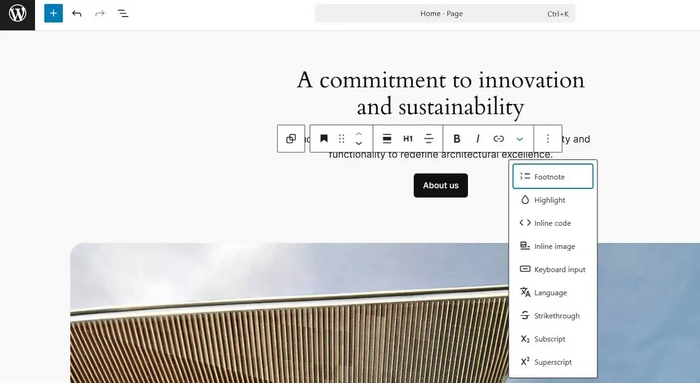
Here are the most common reasons people migrate from WordPress to Wix:
1) Maintenance fatigue. Core updates, theme updates, plugin updates, PHP versions, caching settings -none of this is “hard,” but it’s constant. One conflict can break a form, a checkout or a layout.
2) Security anxiety. WP itself can be secure, but the ecosystem is wide. Multiple third-party plugins, abandoned themes, and outdated dependencies increase risk. Even if you do everything right, you still need to monitor and patch.
3) Performance becomes a project. Once you add page builders, heavy themes, analytics scripts, marketing pixels and a few plugins that everyone uses, speed tuning becomes ongoing work.
4) Total cost grows quietly. Hosting, premium plugins, renewals, dev hours, maintenance subscriptions – WordPress can start “cheap” and end up expensive in time and money.
5) Editing is not truly simple for non-technical teams. Even with modern WP editors, many clients still fear breaking the layout. They avoid updating pages because the admin area feels fragile or complicated.
If you recognize yourself here, Wix is designed for exactly this scenario: a managed platform where the “site infrastructure” is not your job anymore.
What Wix Does Better (Specifically for Ex-WordPress Users)
If you’re evaluating Wix mainly because you want a simpler start (or you’re tired of maintaining WordPress), it helps reset the basics of website creation – especially when you’re trying to keep costs minimal in the early stage. The next step is to decide on the right tool and this is where WordPress and Wix frequently appear in top positions.
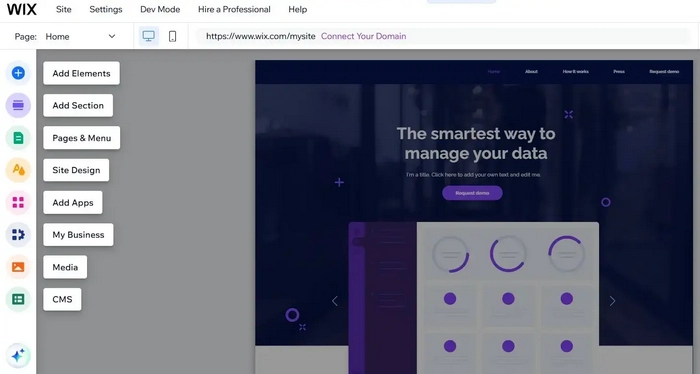
WordPress can be incredibly powerful, but that power often comes with maintenance, plugin decisions, update anxiety, and the constant feeling that your website depends on too many moving parts. Wix wins in a different way: it removes friction. Instead of building and maintaining a stack, you get a managed platform where most of what you need is already integrated — and where the workflow is designed for business owners, not developers. The most striking Wix advantages are listed below.
A managed platform instead of a DIY stack
With Wix, you’re not assembling hosting + theme + plugins + security + backups + performance tools. The platform bundles the essentials and keeps them working together. That reduces the number of moving parts that can break.
Visual editing that’s actually “safe”
Wix’s drag-and-drop approach feels more direct than most WP page builders—and for many owners, it’s less stressful. You can adjust sections, typography, spacing, media, and page structure without worrying about plugin conflicts or shortcodes.
Built-in business tools (less plugin dependency)
Wix includes or tightly integrates things that often require plugins on WordPress: forms, basic automations, email marketing connections, CRM-style contact management, booking tools (depending on setup), and more.
Support you can contact
A major difference vs WordPress is accountability. On WP, support depends on theme authors, plugin authors, hosting, or community threads. Wix support is centralized—one vendor, one platform.
Design & Templates: Fast Rebuild Without Coding
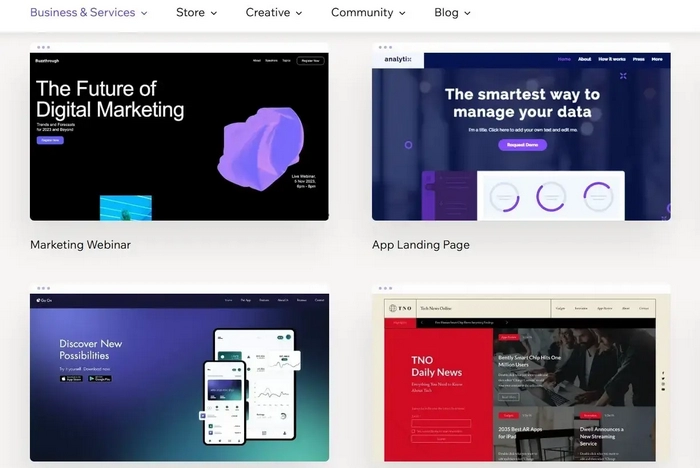
WordPress can offer near-limitless design freedom, but that freedom often comes with complexity (and sometimes fragile layouts). Wix takes the opposite approach: you start with a template or a clean layout and customize visually.
Wix provides a large library of templates across industries (services, portfolios, local business, events, restaurants, online stores). Many are modern and conversion-focused, and you can make them your own by replacing content, adjusting sections, and refining typography.
For WordPress migrants, the big win is speed: you can rebuild a clean, professional design quickly – even if you don’t want to touch CSS.
The Truth About “Migrating” from WordPress to Wix
This matters: moving from WordPress to Wix is not a one-click export/import (especially if you care about design and SEO).
A proper WordPress → Wix transfer usually includes:
- Content mapping (pages, blog posts, categories, media)
- Design rebuild (Wix template/layout adapted to your brand)
- URL planning (keeping structure where possible)
- 301 redirects (so old WP URLs don’t die)
- Metadata transfer (titles, descriptions, headings)
- Tracking setup (analytics, pixels, events)
- Post-launch SEO checks
If your domain is staying the same, your WordPress to Wix domain transfer must be done carefully to avoid downtime. And once the Wix version is live, don’t skip the cleanup phase – specifically the SEO setup stage: this is where many migrations “lose traffic” unnecessarily. It’s high time to review it further.
Wix for SEO: Better Than People Expect (If You Migrate Correctly)
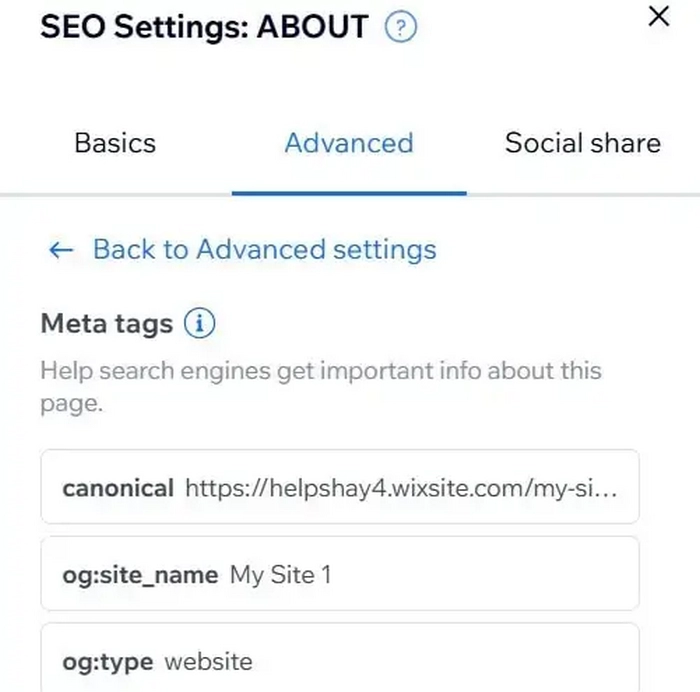
A lot of Wix SEO problems are migration problems, not platform problems.
Wix supports core SEO needs: editable meta titles/descriptions, clean URLs, image alt text, structured headings, 301 redirects, sitemap generation, and indexation basics. It also offers guided setup via SEO tools and integrations.
Where former WordPress owners can stumble is URL consistency. WordPress sites often have years of indexed URLs (posts, categories, attachment pages, tag archives). If you don’t plan redirects and structure, you create ranking loss.
That’s why we treat Wix SEO as a process, not a checkbox – especially when moving an existing site with history. Again: SEO after Wix migration is the must-have for everyone.
eCommerce: Wix Can Replace a Lot of WooCommerce Setups

If you’re coming from WooCommerce, you already know the routine: add plugins for payments, shipping rules, invoices, product filters, abandoned cart recovery, email automation and so on. It works – but it’s plugin-heavy.
Wix’s eCommerce is simpler to operate for small and mid-sized stores because many store essentials are integrated in the platform. You can manage products (physical/digital/services), payments, discounts, shipping, basic marketing flows and storefront design within one system.
For many business owners, that’s the point: fewer dependencies, fewer updates, fewer “why did checkout break today?” moments.
Wix App Market: Add Features Without the Plugin Chaos
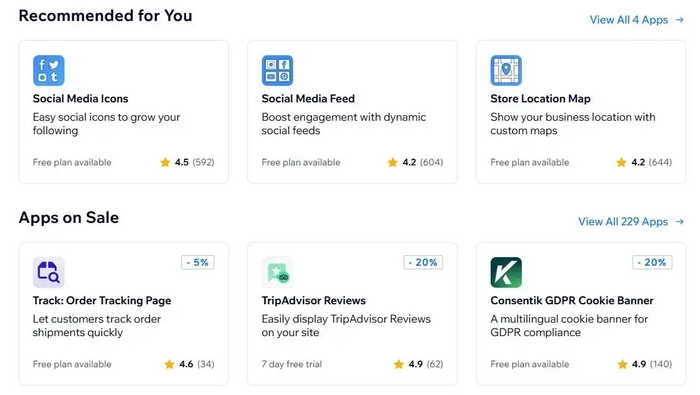
WordPress has a massive plugin ecosystem, which is both its strength and its weakness. Wix’s app ecosystem is smaller, but more curated – and for typical business needs, it’s often enough.
If you’re used to WordPress plugins, think of Wix apps as more controlled add-ons. The experience is generally more consistent (and less likely to create conflicts), though you may not find ultra-niche plugins that exist in the WP world.
Pricing: The Real Comparison Is Total Cost of Ownership
Wix has a free plan (good for testing and prototyping), and paid plans for serious business use. The best way to compare Wix vs WordPress isn’t “monthly fee vs free CMS,” but total cost:
- Hosting and performance tools
- Premium themes/builders
- Plugin renewals
- Maintenance time (or paid maintenance)
- Security monitoring
- Developer hours for fixes and upgrades
If budget is your top concern and you’re exploring your options, these two guides help frame the decision:
When Wix Is the Right Move (And When It’s Not)
Wix is a strong choice if you want:
- a modern site you can edit yourself confidently
- a managed platform with fewer technical chores
- a stable environment for a service business, portfolio, local company, or small online store
- a cleaner workflow for teams who don’t want to “babysit WordPress”
Wix may not be ideal if you require:
- highly custom backend functionality with deep server control
- uncommon plugins or advanced WordPress-only workflows
- complex content architectures that rely on WP-specific plugins and custom post types (in a very specific way)
If your decision is simply “I want to leave WordPress,” but Wix isn’t a clear yes yet, it’s normal — there are a few realistic WP alternatives to go for depending on how much control you need and how much maintenance you’re willing to keep.
Bottom Line: Wix Is a Great “Escape Hatch” from WordPress Maintenance
Wix is not trying to be an open-source CMS. It’s trying to be a reliable business website platform that stays stable without constant technical attention.
That’s exactly why WordPress users move to Wix: not because WordPress is “bad,” but because they want to stop maintaining a website stack and start using a website as a tool.

July Whales